
LinkedIn™ isn’t just another social media platform — it’s designed for individuals to make professional connections with each other. This interactive website allows you to expand your professional network to include colleagues you know and others in your field all from the ease of your laptop or PC. Forbes says it’s “the most advantageous social networking tool available to job seekers and business professionals today.”
Posting on LinkedIn™ is free. You can use it on your home computer or your cell phone.
LinkedIn™ was co-founded in 2003 by Reid Hoffman, the same man who was involved with PayPal. It has 500 million members from 200 countries, representing 170 industries. It was acquired by Microsoft in June, 2016 by Microsoft for $26.2 billion. It is the 34th most popular website. 27% of LinkedIn™ subscribers are recruiters. Hence, most of its revenue comes from selling access to information about its members to recruiters and sales professionals. Many Fortune 500 executives are on LinkedIn™. Now U.S. high school students are creating LinkedIn™ profiles to include on their college applications!
LinkedIn™ can be a fantastic resource to build your professional connections, even in an industry like physiatry. By connecting with the right people in this field, you can enjoy more business opportunities and add value to your professional credibility. LinkedIn™ is also useful when you’re on the hunt for new PM&R career options.
When you use LinkedIn™ to its full benefit, your name will begin popping up in other people’s professional networks, giving you more exposure in the physiatry field. However, you need to be selective on who you allow into your network.
Some Common LinkedIn™ Terms
A “connection” is someone who you know personally on LinkedIn™; in the real world, you call them colleagues. A “second-degree connection” is a connection that your connection has, said another way, a friend of a friend. A “third-degree connection” is a connection from your second-degree connection; said another way a friend of a friend of a friend.
A “profile page” is where you list your professional information. This replaces making personal contacts in the real world. You can include your education, work history, current and past projects, group and associations and more. All registered users can view it unless you set it as a private page. Users can forward your profile page to contacts on their lists. You can make your profile page public so that anyone (even people not on LinkedIn™) can view it.
“Recommendations” are just what it says, recommendations about you from others.
“Introductions” are when a third party introduces two people who weren’t currently connected.
“Professional network news feeds” are comments made by your colleagues. There are interest groups you can join on LinkedIn™. These news feeds are comments made by your colleagues in any of the professional groups that you’re a part of.
Pages on LinkedIn™
What are all of the pages and sections you might see when logged into LinkedIn™?
The Home Page shows recent posts from your colleagues (connections) and company pages you’re following.
The Profile page shows your name, photo, work, etc.
The My Network page lists all the people you’re connected with. If you hover over this option in the top menu, you’ll also be able to see a number of other options that will allow you to add contacts, find people you may know and find alumni.
The Jobs page is where LinkedIn™ recommends specific jobs to you based on your information.
The Interests page is where you can follow certain interests such as company pages and groups.
The Search bar allows you to filter your results down according to several fields. Click “Advanced” beside the search bar to find specific colleagues, companies, jobs and more.
The Messages page is where you can send a private message to a colleague. You can also add attachments, include photos and more.
The Notifications page is where LinkedIn™ notifies you when you’ve been endorsed by someone, invited to join something or welcomed to check out a post you might have an interest in.
The Pending invitations Page is when other people invite you to connect with them on LinkedIn™, you’ll get a note (invitation) that you’ll have to approve.
Why Build a Strong LinkedIn™ Network?
The value of an effective LinkedIn™ network is immeasurable. Connecting and engaging with the right people on LinkedIn™ will open doors for you and your business. Plus, your connections give you more exposure and put you in a position to add value to other members in your network.
To make LinkedIn™ an effective professional tool, it’s essential to give your account some time and effort. The results far outweigh the time invested in cultivating it. LinkedIn™ can provide you with exposure and access to talented people within your industry, allow you to attract new prospects and even help you to find the career of your dreams.
Tips on Making New Connections
Your LinkedIn™ network consists of connections you make with other professionals. You can create connections with colleagues and people you know in your field — or others who you connect with via LinkedIn™. However, to build your network of connections, you will need to put in some work.
Don’t stress. Finding new connections on LinkedIn™ doesn’t have to be difficult. After you’ve perfected your profile and it reflects you as a professional, you can build your network of connections in several ways. Here are some tips you can use to grow your network:
- Start With Your Colleagues: The first people you should reach out to are your professional colleagues. These are people you have a good relationship within your industry. In the field of physiatry, this could include any doctors you may have met through conferences or meetings in the past.
- Accept Requests From Others: As your network grows, you will inevitably receive requests from other professionals. This could be people you know or those you don’t. Be sure to accept these requests promptly — however, you don’t have to accept everyone. It’s okay to have criteria for the people you accept, such as they must have a profile picture and a certain amount of experience in your field.
- Add Suggested Connections: LinkedIn™’s algorithm will help you find people who are appropriate for your network. You can use this algorithm to find people similar to those who you already have in your network.
- Use Groups: Groups are made up of individuals interested in the same topics as you are. This is a considerable advantage, as you can look into groups of people that fit the criteria for those who you want to connect with. For example, if you are a doctor, then look for a group of doctors. You can even narrow this by specialty. Once you join a group, take time to see how the group works, introduce yourself and become an active and vocal member. However, don’t use the group to push yourself forward professionally.
- Remember to Tailor Your Message: When you reach out, be sure to extend a personalized invite with an individualized greeting. Do not use LinkedIn™’s generic invitation, as it won’t reflect your relationship with this person.
How to Find Jobs
You can use LinkedIn™ for more than just building a network, too. You can find jobs on your newsfeed or you can type the name of a company or organization. Recruiters can use LinkedIn™ to find potential candidates by using the Advanced search tools and then make contacts and join industry-based group to created connections.
It’s also an invaluable resource for finding new career opportunities. But, you need to know how to utilize the platform to find a job. Here are two quick tips to help you find a job using LinkedIn™:
- Make Your Headline Count: If you are seeking a job, you can use your headline to show that you are not just looking for employment, but also what you can offer an organization. Your headline is what people see when you show up in a search, so make it count.
- Broaden Your Network: By expanding your network, more professionals in your field will see you are looking for a job. In fact, headhunters utilize LinkedIn™ quite regularly to find prospective employees.
How to Research People/Companies
You can use LinkedIn™ to find out more about the people and organizations you do business with. You can search for second-degree connections who work at a company you have interest in and then search for first-degree connections for an introduction.
Often the first thing interviewers before interviewing someone is to look them up on LinkedIn™! Remember, too, that you can review the profile of hiring managers. And, you can follow different companies to keep an eye on who’s coming and going. When you see someone leave a company you want to join, it’s the perfect opportunity to reach out to their HR department.
Information to Include on Your LinkedIn™ Profile
A few essential components are crucial to include on your LinkedIn™ profile. This will make it stronger and more effective, but it will also make it more likely for you to get a job from your network. Be sure your LinkedIn™ profile includes a profile picture, education level, past work experiences, skills and accomplishments. If you’re not sure what else to add, don’t worry. LinkedIn™ will recommend what to have on your profile, as well as let you know how strong it is.
Here are the basics that should be included on any LinkedIn™ profile:
Professional Headline – This is a generic description of what you do. Label yourself as what you would like to be, not your current job title. The headline is the key.
Current Position – If you’re out of work, remove the Current heading. Before you do that, though, cut and paste your previous company and job title into the “Past” section. Then click “edit” and “delete” and make the “Current” heading disappear.
Summary – Think of it as a way of selling yourself. Use this space to highlight who you are, what your skills are, and what your professional goals are.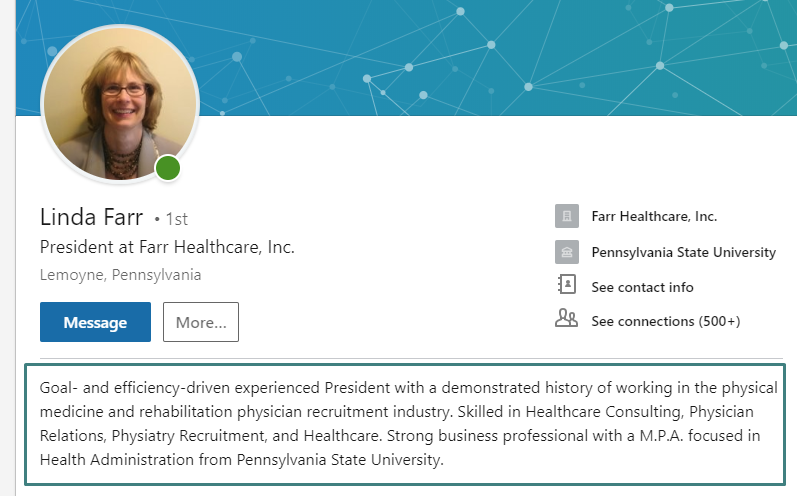
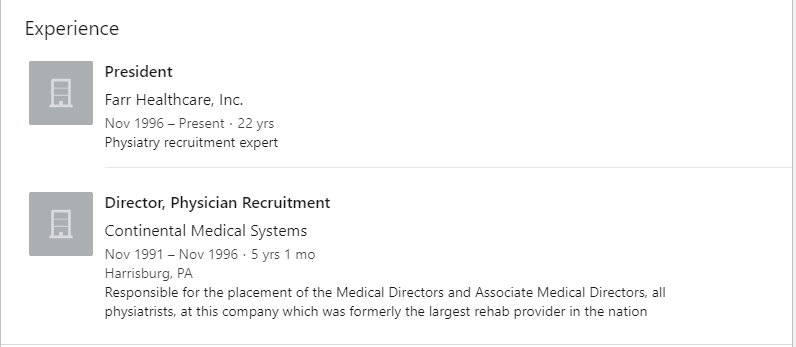
Experience – Use active verbs, show results. Include past jobs and skills – be as robust as possible!
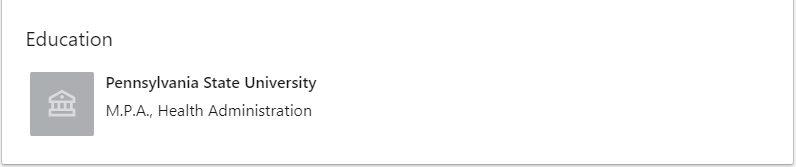
Education – Be accurate in listing your education. The rule of thumb in professional social networking: it may seem like a vast network of strangers, but the world is truly much smaller than you think.
Contact – Your profile won’t be useful unless you include your contact information! To complete the Contact information section go to the top of your LinkedIn™ profile to the Contact section. To edit it, click on the “See contact info” and a popup window will appear which offers you contact information options. You can also edit this info on your smartphone; the basic information is there but in a slightly different order and layout. Do not make your home address visible. Do not share your birthday, it is a key element for identity thieves, they can guess the year, the month and day are the hardest to guess. Yes, you will receive fewer birthday greetings, but that’s better than having your identity stolen!
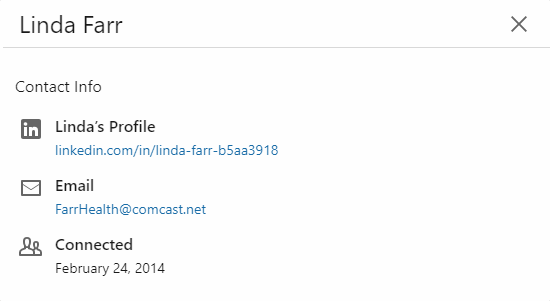
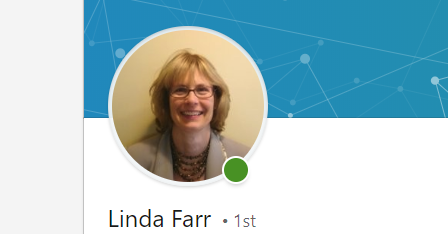
Photo – Include your photo, as profiles with photos are viewed 7 times more!
Skillset – Why should you list your skills? LinkedIn™ allows recruiters and employers to sort by skills, years in the industry and more. Be accurate in your listing of skills.
Privacy settings – Just sign in and then select “settings” from the drop-down menu, where your name appears in the upper right-hand corner. Make sure to be discreet in your privacy settings if you’re looking for a new position so that your boss does not know.
Include Farr Healthcare’s President in Your LinkedIn™ Network
Once your profile is established and you’ve built your network of connections, you will want to continue to update your account on a regular basis. You can do this by interacting through posts, likes, comments and continuing to add people to your network.
If you are a professional in the physiatry field or other medical practice, connect with Linda Farr on LinkedIn™ to start or increase your professional network. As president of Farr Healthcare, she brings more than 30 years of recruitment experience in healthcare — and specifically physiatry — making her an invaluable resource to connect with others in this ever-growing field.
*LinkedIn™, the LinkedIn™ logo and InMail are registered trademarks or trademarks of LinkedIn Corporation™ and its affiliates in the United States and/or other countries.